On this page
Operations · 12
Console & operations
The console is where operators control the system: agents, policies, integrations, sessions, evidence, members, and billing. This page walks the workflows an operator owns day to day.
What the console owns#
Everything an agent does is governed by things an operator manages here: which systems are connected and which resources are enrolled, which policies exist and which agent each one is assigned to, which sessions and devices are active and which have been revoked, what the evidence shows, and who on your team can see or change any of it.
Verified behavior
See a decision surface live#
Before the console captures below land, there is one decision surface you can inspect today: the authority demonstration on the landing page. Hold the agent and the action constant, change the policy assigned to that agent, and the next decision changes from ALLOW to REJECT with its reason. The decision record for that same event is shown further down the page. It is illustrative rather than live execution, and no account is required.
Open the authority demonstration
Note
Agents, devices, sessions#
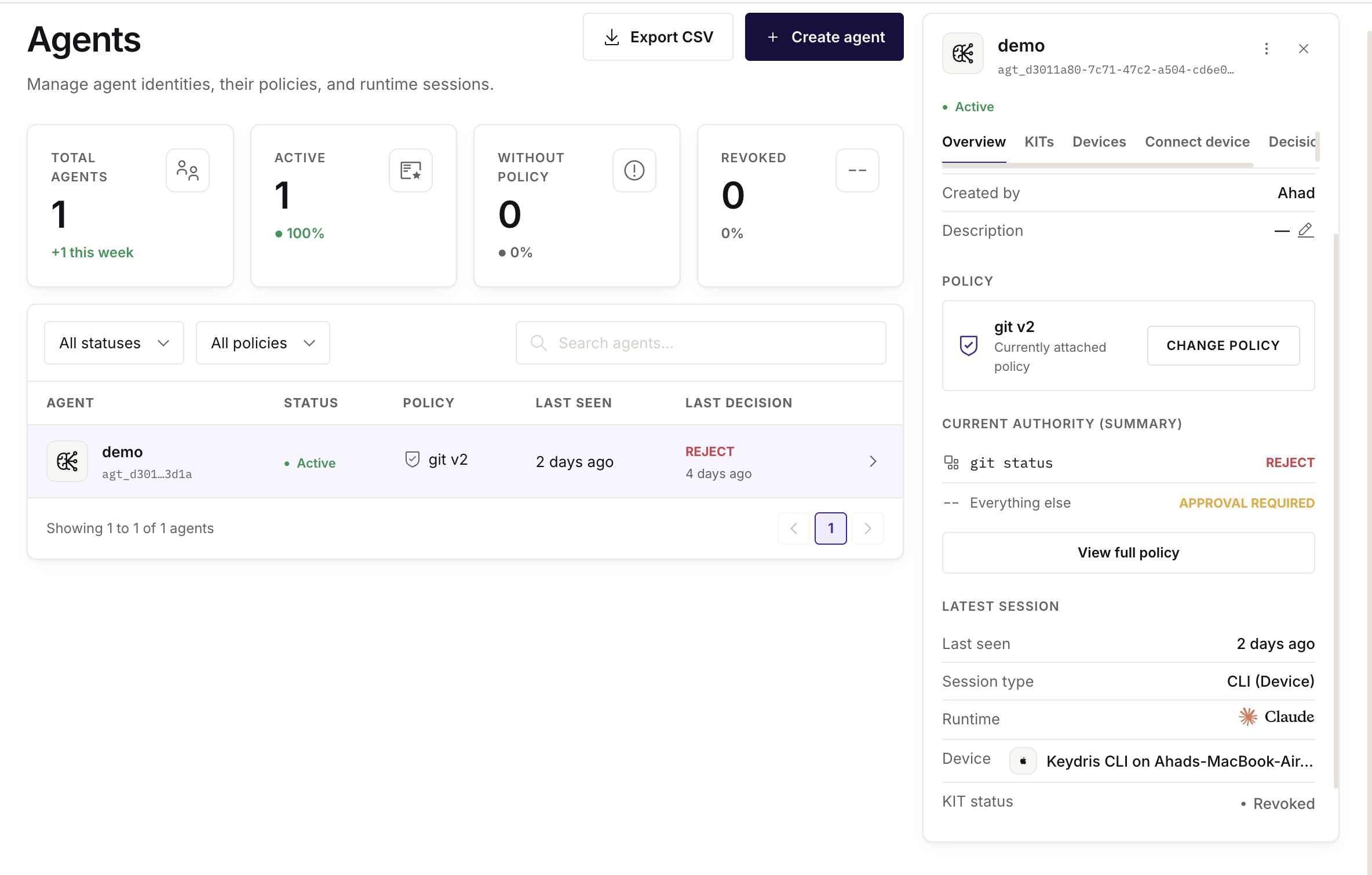
The agents view lists every operator-managed agent identity, the devices (enrolled installations) it runs on, and its live sessions. Revocation is a first-class operation at each level: revoke a session, revoke a device, or disable the agent entirely.
Console
Policy authoring#
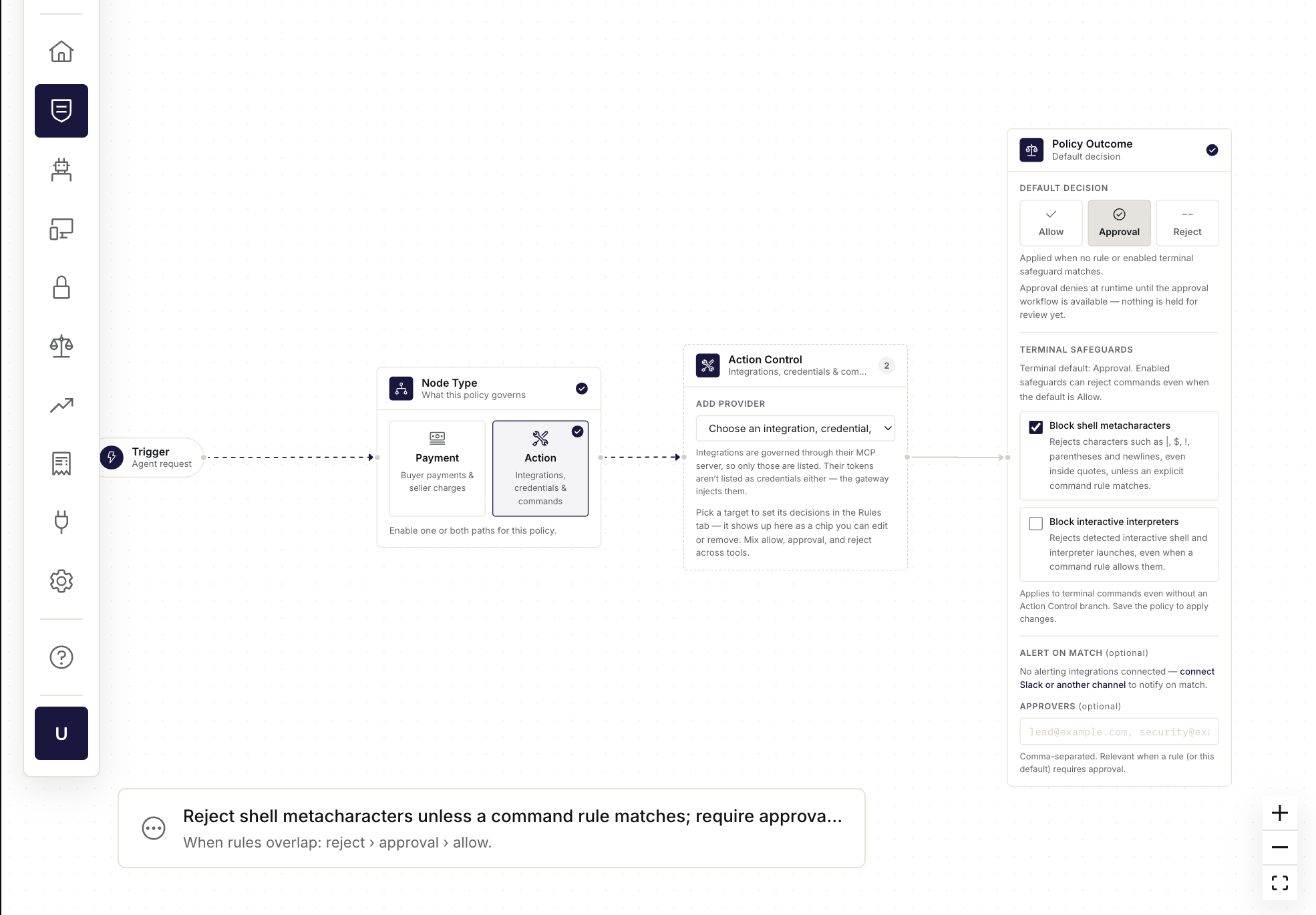
Policies are authored on the visual builder: rules for the actions a policy governs, each carrying ALLOW, REJECT, or APPROVAL REQUIRED; conditions that scope them; and the default decision for anything unmatched. Saving produces a new version, and the plain-language summary shows what you actually authored. Preview and lint before relying on a policy. Assignment is central: the agent connects once by Agent ID, and which policy governs it is decided here. Changing or reassigning never touches the agent's setup. (New to the taxonomy? The three decisions are taught in Identity vs authority and the rule semantics in Policies.)
Console
Audit review#
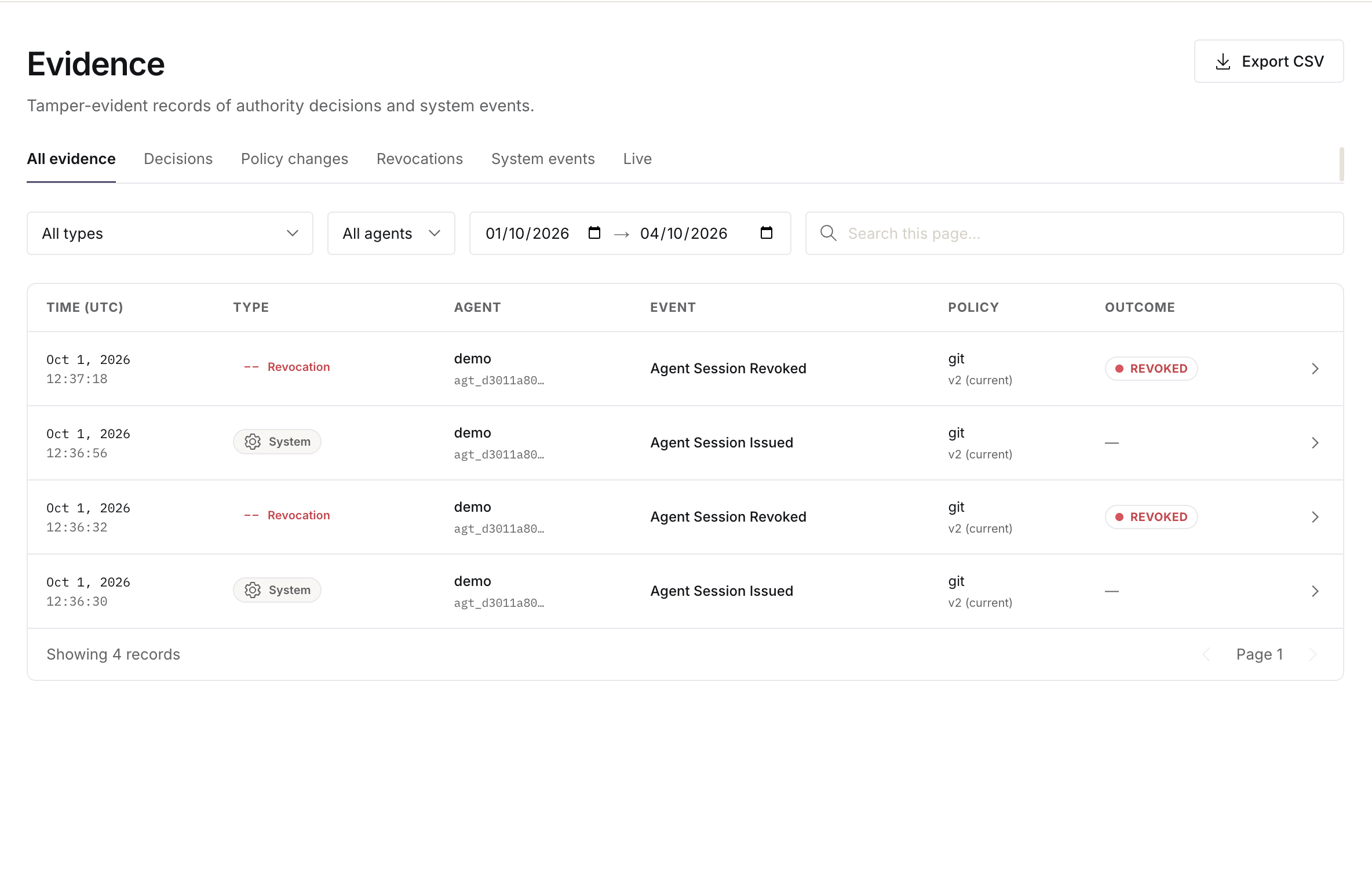
The audit view is the evidence trail: filter by timeframe, agent or principal, action, decision, and outcome; expand any record for its full context; export the selected window for reviews.
Console
Roles & members#
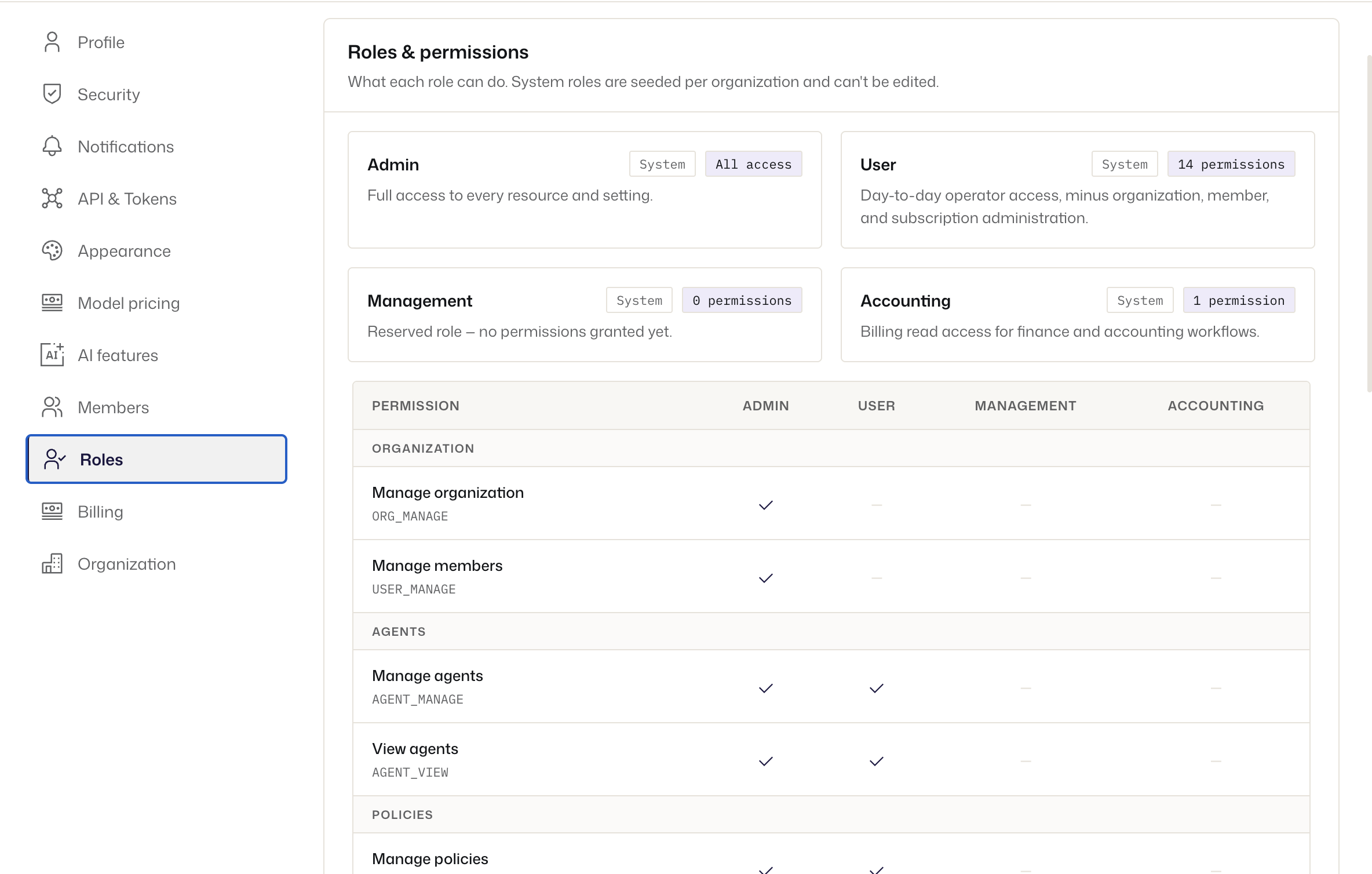
Console access is scoped by organization roles with permission-based administrative access: each member sees and changes only what their role permits. Assign roles when inviting members; change them centrally.
Console
Plans & usage#
Note